Convert Markdown & AI Text to Plain Text
Remove unwanted symbols from Markdown text and convert it to clean plain text.
Convert Markdown & AI Text to Plain Text
Free tool to convert Markdown and AI text to clean plain text. Strips symbols like # and asterisks in real time directly in your browser. No signup needed.
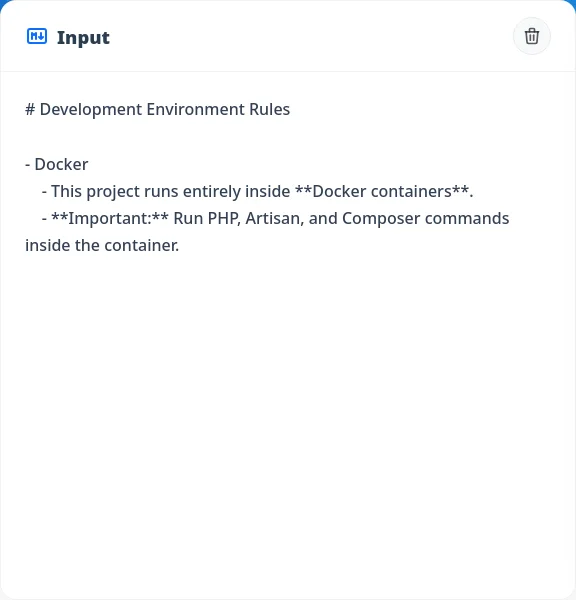
Paste Your Text
Paste the Markdown text you want to convert. AI-generated text from tools like ChatGPT or Gemini can be pasted directly as-is.
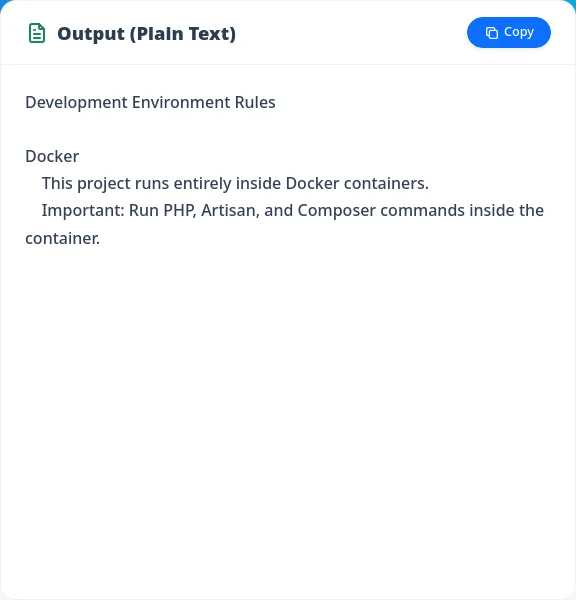
Get Plain Text
Symbols are automatically removed and the result is displayed as plain text. Click "Copy" to copy it to your clipboard.
Completely Free & No Sign-up
No account or installation needed. Just open your browser and start converting right away.
Real-time Conversion
Markdown formatting is stripped as you type, giving you live plain text output.
Secure Local Processing
Everything runs in your browser — your text is never sent to any external server.
AI Users (ChatGPT, Gemini, etc.)
Paste responses from ChatGPT, Gemini, Claude, or Copilot directly — unwanted Markdown symbols are stripped out, leaving clean plain text.
Web Writers & Editors
Copy Markdown drafts into CMS platforms or Word without worrying about stray symbols. Get clean text ready for publishing.
Developers & Engineers
Share READMEs or spec docs with plain-text-only systems or chat tools — strip Markdown symbols with a single paste.
Business Professionals
Transfer notes from Notion or other Markdown-enabled apps to email or internal wikis without formatting symbols getting in the way.