Markdown Table Maker
Type your data into a grid to generate Markdown table code. Free tool for GitHub READMEs, Notion, and blogs.
Create Markdown Tables in Real Time
Generate Markdown tables in real time by entering data into a simple web form. A live preview lets you verify the layout before copying the formatted code with one click for GitHub READMEs, Notion, and blogs.
Follow these 3 simple steps to create and copy your Markdown table. With the built-in live preview, you can check exactly how your table will look as you type.
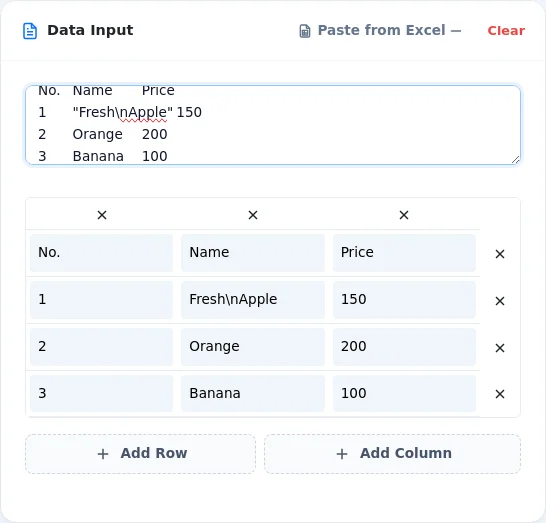
Enter Table Data
Type your text into the input fields (cells) on the screen. The default table is 3x3, but you can freely add or remove rows and columns as needed.
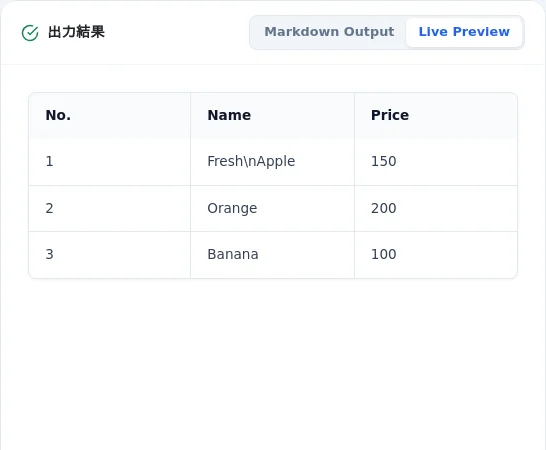
Check the Layout in Preview
As you type, your data reflects in the preview area below. Verify layout and alignment before copying.
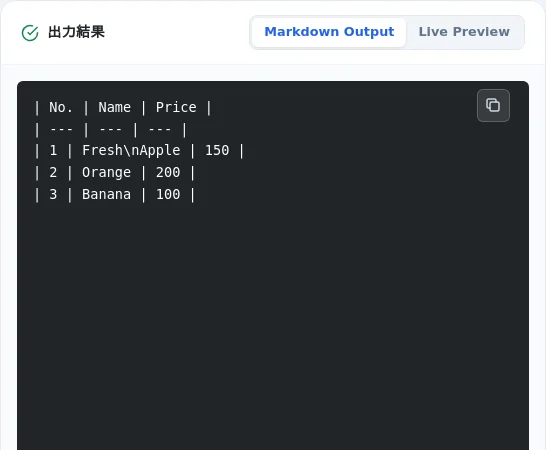
Copy the Markdown Code
Once your table is complete, simply click the "Copy Code" button to save the Markdown format code to your clipboard.
100% Free & No Sign-up
Build tables directly in a web spreadsheet grid. No software installation or account setup required.
Real-Time Generation
Both the live preview and Markdown code update as you type each cell.
Flexible Rows & Columns
Add or remove rows and columns with a single click to adjust table dimensions.
Visual Live Preview
Check the appearance of your table as you build it to prevent layout mistakes.
Secure Local Processing
All input data is processed locally in your browser. Sensitive information is never sent to any server.
Structuring API Parameters & Env Variables
Speed up documentation for GitHub READMEs and system specifications by entering field definitions directly into rows and columns.
Drafting Comparison Tables for Technical Blogs
Format side-by-side feature comparisons for platforms like Dev.to, Hashnode, or Notion without syntax errors.
Learning Markdown Table Syntax Visually
Build clean Markdown tables without memorizing pipe (|) and hyphen (-) delimiter rules.